
Subtle Effects
23.9M downloads • Rank: #416

Description
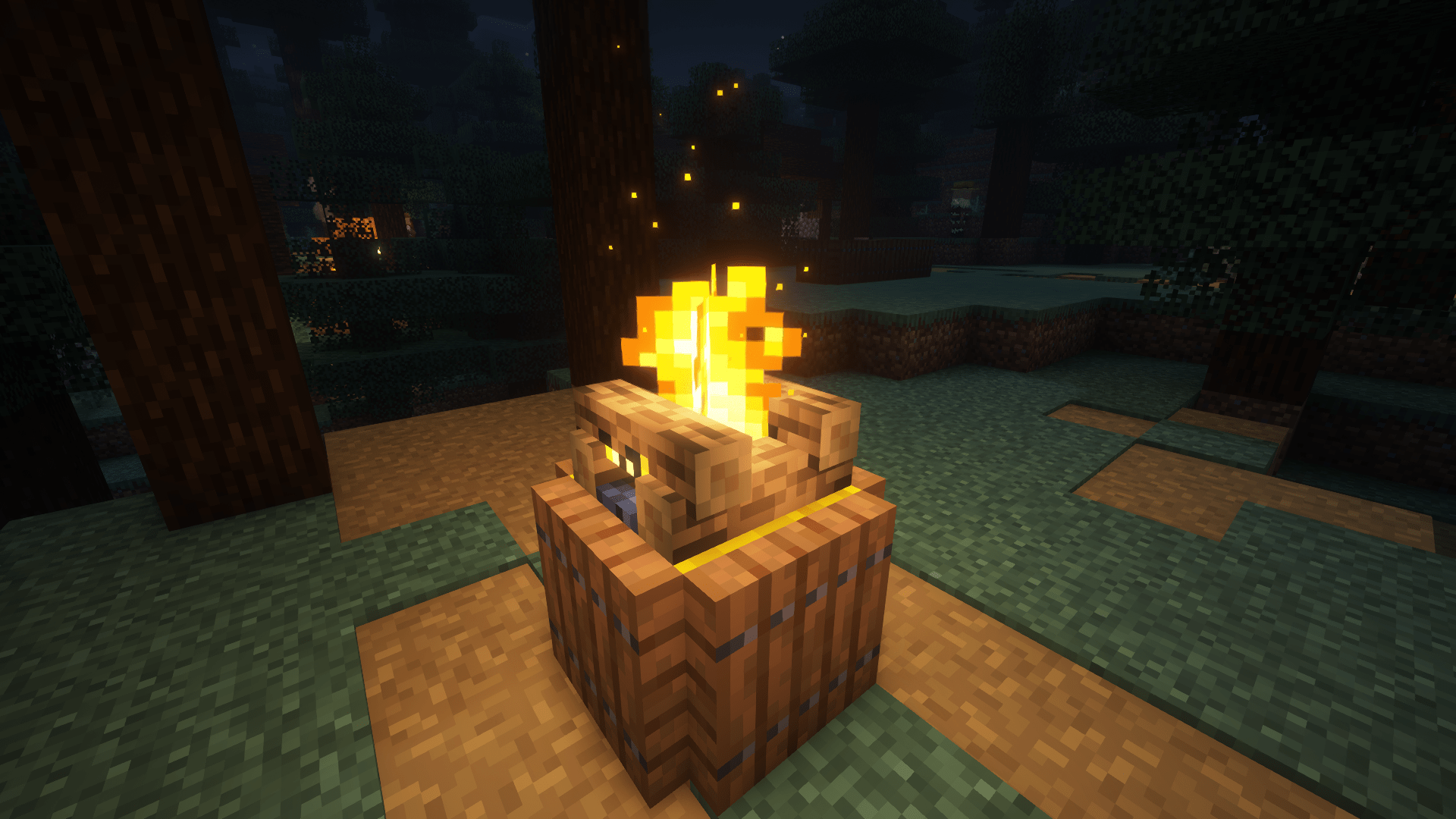
Adds subtle details to your Minecraft world through captivating particles and sounds.
Among its main features are the addition of particle effects that react to weather conditions, as well as ambient sounds that activate at specific moments, creating total immersion. This mod is popular among players looking to enhance their visual and auditory experience without altering the basic gameplay of Minecraft.
Additionally, Subtle Effects is compatible with most versions of Minecraft, allowing a wide range of players to enjoy its innovations. If you want to give a new air to your block world, this mod is an excellent option to explore and enjoy the subtle beauty it offers.
Screenshots17
Main File
Subtle Effects (Forge) 1.20.1-1.15.1-hotfix.1
Recent Files
View all →Minecraft 1.21
Subtle Effects (NeoForge) 1.21.1-1.15.1
Subtle Effects (Fabric) 1.21.1-1.15.1
Minecraft 1.20
Subtle Effects (Forge) 1.20.1-1.15.1-hotfix.1
Subtle Effects (Fabric) 1.20.1-1.15.1-hotfix.1
Subtle Effects (Forge) 1.20.1-1.15.1
Frequently Asked Questions about Subtle Effects
How to install Subtle Effects?
To install Subtle Effects, you first need to have Minecraft with Forge/Fabric installed. Download the mod's .jar file and place it in the 'mods' folder of your Minecraft directory. Restart the game and the mod will be available.
What Minecraft versions is Subtle Effects compatible with?
Subtle Effects is compatible with Minecraft versions 26.3, 26.2, 26.1.2, 26.1.1, 26.1.
Is Subtle Effects free?
Yes, Subtle Effects is completely free. You can download it directly from this page or from CurseForge.
Comments (0)
Did it work for you?
Tell us which Minecraft version and which loader you used (Forge, Fabric, NeoForge, Quilt). If it crashed or clashed with another mod, say so here: you will save the next reader an afternoon.
Loading comments...
🔗 Related Mods
![Chat Animation [Smooth Chat]](https://media.forgecdn.net/avatars/927/15/638397249106651520.png)
Makes chat messages appear with a smooth animation.

A modern shaders mod for Minecraft intended to be compatible with existing Optifine shaders

Adds a mod menu to view the list of mods you have installed.
Little visual improvements by adding a bunch of new particles.

Addon for FancyMenu to customize the loading screen.
Never lose your items again!
Explore the full category
Explore the full category
🚀 Create your Minecraft Server
Compatible with all mods
Statistics
Downloads
23.9M
Popular Ranking
#416
Information
Created
October 4, 2024
Updated
October 13, 2026
Authors
MincraftEinstein