
Model Gap Fix - Improve Model Visualization in Minecraft
56.0M downloads • Rank: #276
Description
Model Gap Fix eliminates visualization issues in block and object models. Download this mod and enhance your graphical experience.
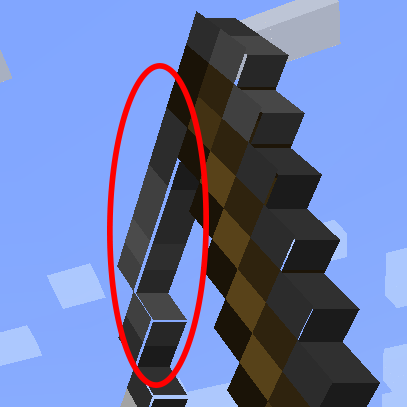
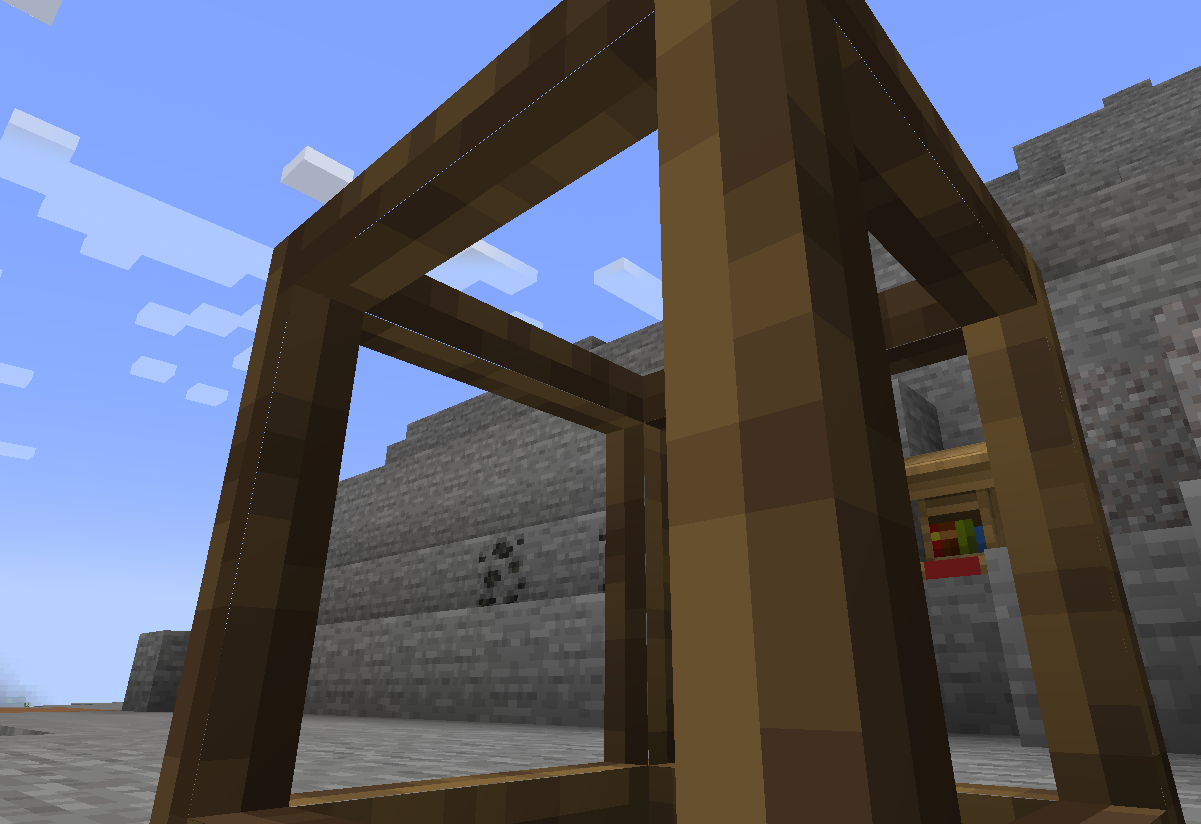
Model Gap Fix is a mod for Minecraft that becomes an essential tool for those who want to improve the visualization of models in the game. This mod addresses the issue of gaps and misalignments in block and object models, offering a cleaner and more attractive graphical experience. If you've ever noticed that the models of your objects or blocks don't look as they should, this mod is the perfect solution.
The main function of Model Gap Fix is to eliminate the "texture zoom," a feature that was introduced to mitigate the problem known as "atlas bleeding." This issue causes the textures of the models to stretch, resulting in inefficient use of textures and the appearance of unwanted gaps. With this mod, each texture occupies 100% of its area, correcting these errors and improving the overall appearance of the models.
Additionally, Model Gap Fix is compatible with most hardware configurations, meaning you can enjoy its benefits without worrying about a negative impact on game performance. Although on some systems, such as certain Macs, issues with "atlas bleeding" may still occur, the mod adjusts the models of the objects to minimize these effects. This ensures that even in the most problematic configurations, the visual experience is as smooth as possible.
This mod also includes improvements in the generation of 2D object models, eliminating the small lines that can appear due to the way quads are generated. This is achieved by creating multiple quads for each row of solid pixels, effectively covering the gaps. Thus, players can enjoy a more coherent and attractive visualization in their adventures.
If you want to take your Minecraft experience to the next level and enjoy a more polished and attractive visualization, downloading Model Gap Fix is an excellent decision. Don't miss the opportunity to enhance the aesthetics of your game and immerse yourself in a world where every detail counts.
Screenshots1
Main File
modelfix-1.21.10-1.12-fabric.jar
Recent Files
View all →Minecraft 1.21
modelfix-1.21.10-1.12-fabric.jar
modelfix-1.21.5-1.12.jar
modelfix-1.21.5-1.12-fabric.jar
Minecraft 1.20
modelfix-1.15.jar
modelfix-1.15-fabric.jar
modelfix-1.15.jar
Minecraft 1.19
modelfix-1.12.jar
Frequently Asked Questions about Model Gap Fix
How to install Model Gap Fix?
To install Model Gap Fix, you first need to have Minecraft with Forge/Fabric installed. Download the mod's .jar file and place it in the 'mods' folder of your Minecraft directory. Restart the game and the mod will be available.
What Minecraft versions is Model Gap Fix compatible with?
Model Gap Fix is compatible with Minecraft versions 1.21.10, 1.21.5, 1.21.4, 1.21.3, 1.21.1.
Is Model Gap Fix free?
Yes, Model Gap Fix is completely free. You can download it directly from this page or from CurseForge.
Comments (0)
Did it work for you?
Tell us which Minecraft version and which loader you used (Forge, Fabric, NeoForge, Quilt). If it crashed or clashed with another mod, say so here: you will save the next reader an afternoon.
Loading comments...
🔗 Related Mods
Ensures correct destinations when travelling back and forth through Nether Portals in Multiplayer.

Take control over you inventory. Sort. Move matching Items. Throw all. Locked slots. Gear sets! And much more.
Reacharound Placement (Bedrock Bridging) for Forge, Fabric, & Quilt

Stop the bonemeal discrimination! Grow all plants, no limitations.
JSON based item tweaking. Disable items, recipes, trades, creative tabs, JEI/REI/EMI, and more.

JSON based entity blacklisting. Disable spawning for any entity from any mod.
Explore the full category
Explore the full category
🚀 Create your Minecraft Server
Compatible with all mods
Statistics
Downloads
56.0M
Popular Ranking
#276
Information
Created
September 14, 2022
Updated
October 14, 2025
Authors
MehVahdJukaar