
Mod Name Tooltip - Know the Origin of Your Items
81.4M downloads • Rank: #1408
Description
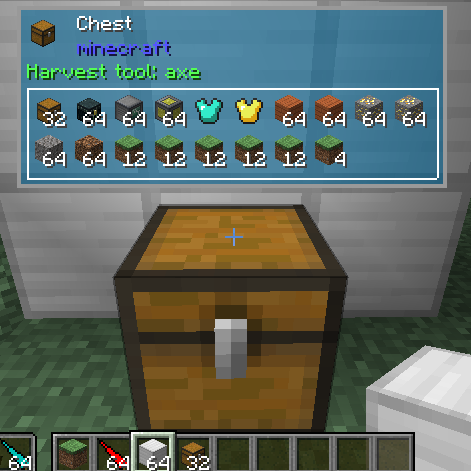
Mod Name Tooltip shows you which mod each item in Minecraft comes from. Enhance your gaming experience and download this useful mod.
Mod Name Tooltip is a mod for Minecraft that provides essential functionality for players using multiple mods. This mod clearly and simply shows which mod each item in your inventory comes from, allowing you to quickly identify the origin of your resources and tools. If you've ever wondered where a specific item came from, this mod is a must-have for you.
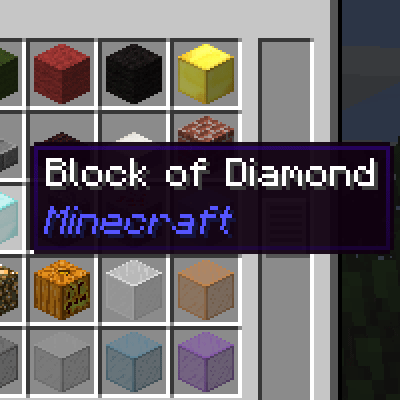
With Mod Name Tooltip, whenever you hover over an item in your inventory, you will see the corresponding mod name in the tooltip. This feature is especially useful in large modpacks where the variety of items can be overwhelming. The simplicity of this mod ensures that it does not interfere with gameplay, keeping the focus on the Minecraft experience without additional complications.
One of the great advantages of Mod Name Tooltip is its high compatibility. Being a lightweight mod that does not require complex interactions with other mods, it works seamlessly in any gaming environment. You can use it on your multiplayer servers or in single-player games without worrying about conflicts. Additionally, it is completely safe to include in your own modpack, making it a versatile option for any player.
If you want to enhance your gaming experience and have better control over the items you find, downloading Mod Name Tooltip is an excellent decision. This mod is not only easy to install but also a valuable tool for any player looking to optimize their adventure in Minecraft. Don't wait any longer and try this mod that will facilitate your exploration and crafting!
🎥 Video
Main File
modnametooltip-26.3-neoforge-2.11.0.jar
Recent Files
View all →Minecraft 1.21
modnametooltip-1.21.9-neoforge-2.8.0.jar
modnametooltip-1.21.8-neoforge-2.7.0.jar
modnametooltip-1.21.7-neoforge-2.6.0.jar
Minecraft 1.20
modnametooltip-1.20.6-neoforge-2.1.0.jar
modnametooltip-1.20.4-neoforge-2.0.0.jar
Minecraft 1.19
modnametooltip-1.20.1-1.20.0.jar
modnametooltip-1.19-1.19.0.jar
Minecraft 1.18
modnametooltip-1.18.1-1.18.0.jar
Minecraft 1.17
1.17.0
Minecraft 1.16
1.15.0
1.14.0
Minecraft 1.15
1.13.0
Minecraft 1.12
1.10.1
Frequently Asked Questions about Mod Name Tooltip
How to install Mod Name Tooltip?
To install Mod Name Tooltip, you first need to have Minecraft with Forge/Fabric installed. Download the mod's .jar file and place it in the 'mods' folder of your Minecraft directory. Restart the game and the mod will be available.
What Minecraft versions is Mod Name Tooltip compatible with?
Mod Name Tooltip is compatible with Minecraft versions 26.3, 26.2, 26.1.1, 1.21.9, 1.21.8.
Is Mod Name Tooltip free?
Yes, Mod Name Tooltip is completely free. You can download it directly from this page or from CurseForge.
Comments (0)
Did it work for you?
Tell us which Minecraft version and which loader you used (Forge, Fabric, NeoForge, Quilt). If it crashed or clashed with another mod, say so here: you will save the next reader an afternoon.
Loading comments...
🔗 Related Mods
A mod that provides a highly customizable, more human-readable Debug HUD.
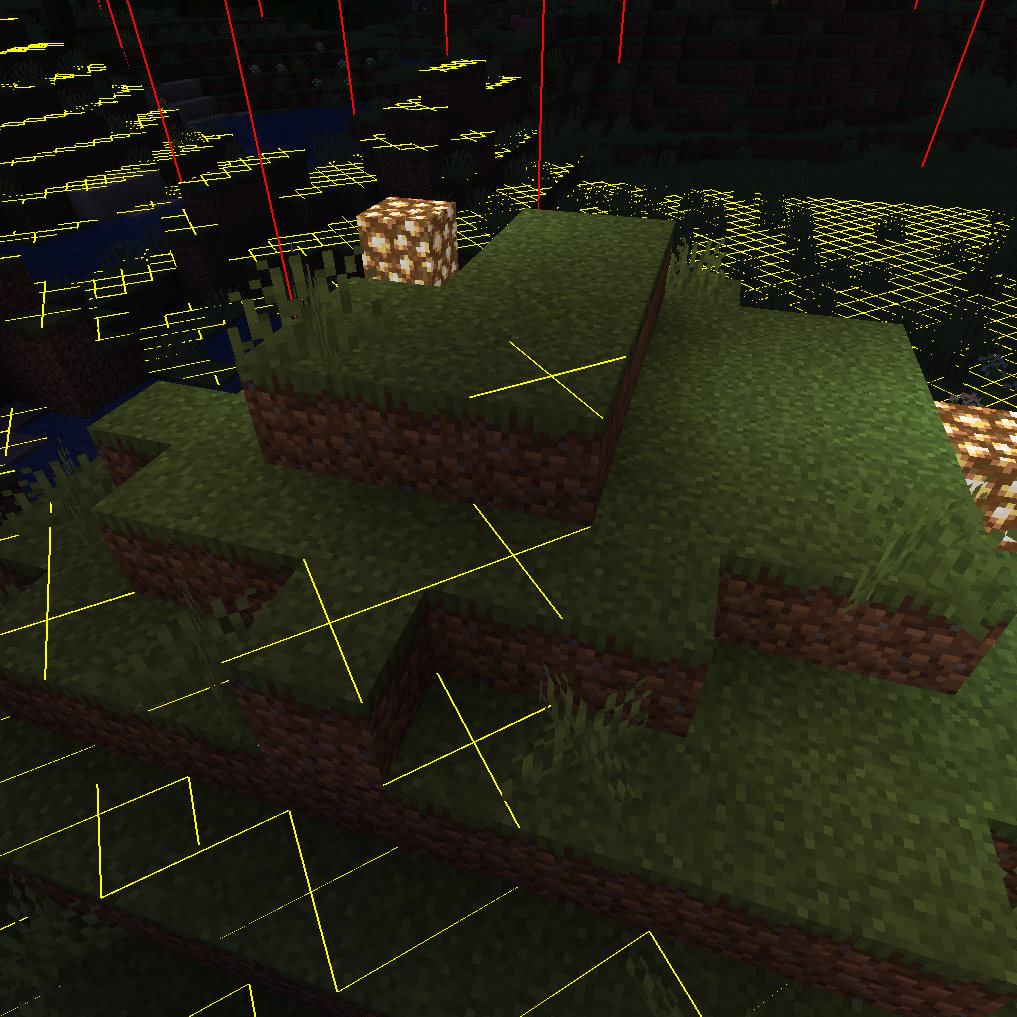
Adds NEI-like light overlay for mob spawns, a chunk border overlay and a JEI item search overlay. (updated for 1.15.2, 1.16.5, 1.18.2, 1.19, 1.20, 1.21) NEW: light level number overlay
Search for an item in nearby inventories
![Clickable advancements[Forge/Fabric]](https://media.forgecdn.net/avatars/531/807/637854458573666877.png)
Click advancement in chat to open its location. Helps players getting into different mods
More immersive alternative for WAILA
Plays a configurable sound when Minecraft loads and reaches the Main Menu, connects to a server or finishes reloading resources.
Explore the full category
🚀 Create your Minecraft Server
Compatible with all mods
Statistics
Downloads
81.4M
Popular Ranking
#1408
Information
Created
December 11, 2015
Updated
September 23, 2026
Authors
mezz