
Hats - Customize Your Experience in Minecraft with Style
35.9M downloads • Rank: #3455
Description
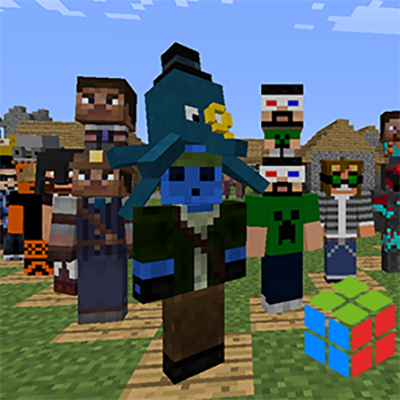
Hats is the mod for Minecraft that allows you to customize your character with a variety of unique hats. Download and stand out in your adventures!
Hats is a mod for Minecraft that transforms the way you customize your character, adding a wide variety of unique and fun hats. This mod is a must-have for those looking to stand out in their adventures, as it not only offers an attractive visual appearance but also introduces a rarity and accessories system that will enrich your gaming experience.
With Hats, you will have access to a completely redesigned hat selector, making it easy to choose the perfect hat for every occasion. Simply press the H key in-game and explore the different options available. From classic hats to completely new designs, the variety is impressive, and each hat has its own rarity, ranging from Common to Legendary, adding an element of excitement to unlocking new styles.
One of the most exciting features of this mod is the accessories system. Each hat can be upgraded with accessories that are unlocked by defeating certain mobs. This not only allows you to further customize your look but also adds an additional objective to the game, as you will want to collect all the available accessories. Additionally, the mod includes enhanced coloring options, allowing you to adjust the hue, saturation, and brightness of your hats and accessories for a truly unique style.
Hats is compatible with the latest versions of Minecraft and integrates seamlessly with other mods, meaning you can enjoy your new hats in any adventure. It also features a head tracking system that allows mobs to wear hats, adding a fun twist to your encounters in the game. If you are a creator, the mod makes it easy to create your own hats through accessible tools.
In conclusion, if you want to add a touch of fun and customization to your Minecraft experience, downloading Hats is the perfect decision. Not only will it allow you to look great, but it will also provide you with new challenges and objectives within the game. Don't wait any longer and start exploring the world of hats today!
🎥 Video
Main File
Hats-1.16.5-10.3.4.jar
Recent Files
View all →Minecraft 1.16
Hats-1.16.5-10.3.4.jar
Hats-1.16.5-10.3.3.jar
Hats-1.16.5-10.3.2.jar
Minecraft 1.12
Hats-1.12.2-7.1.1.jar
Hats-1.12.2-7.1.0.jar
Hats-1.12.2-7.0.2.jar
Minecraft 1.10
Hats-1.10.2-6.0.0.jar
Minecraft 1.7
Hats-4.0.1.jar
Hats-4.0.0.jar
Hats-3.0.1.jar
Minecraft 1.6
Hats2.1.8.zip
Hats2.1.7.zip
Frequently Asked Questions about Hats
How to install Hats?
To install Hats, you first need to have Minecraft with Forge/Fabric installed. Download the mod's .jar file and place it in the 'mods' folder of your Minecraft directory. Restart the game and the mod will be available.
What Minecraft versions is Hats compatible with?
Hats is compatible with Minecraft versions 1.16.5, 1.16.4, 1.16.3, 1.12.2, 1.12.1.
Is Hats free?
Yes, Hats is completely free. You can download it directly from this page or from CurseForge.
Comments (0)
Did it work for you?
Tell us which Minecraft version and which loader you used (Forge, Fabric, NeoForge, Quilt). If it crashed or clashed with another mod, say so here: you will save the next reader an afternoon.
Loading comments...
🔗 Related Mods
A client-side mod that adds reverb to caves, and mutes sounds when you're underwater or when the sound is behind a wall.
Bookcases, armor stands, shelves and so much more!

A Minecraft VR mod on a loader of your choice!
#enhancedphysics
A modification of Quark for the Rebirth of the Night (RotN) modpack.
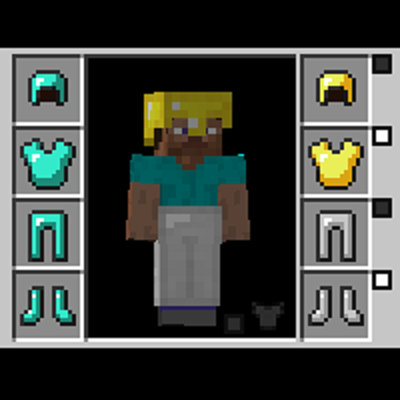
This mod allows you to wear two sets of armor, one for display, one for function.
Explore the full category
Explore the full category
🚀 Create your Minecraft Server
Compatible with all mods
Statistics
Downloads
35.9M
Popular Ranking
#3455
Information
Created
March 31, 2015
Updated
February 15, 2023
Authors
iChun