
FTB Backups (Forge) - Protect Your Minecraft World
78.2M downloads • Rank: #1640

Description
FTB Backups is the essential mod for backing up in Minecraft. Secure your worlds and avoid losses with ease.
FTB Backups (Forge) is a mod for Minecraft that becomes an indispensable tool for any player who wants to protect their world. This mod allows for automatic and manual backups of your world, ensuring that you never lose your progress due to errors or unexpected failures. With FTB Backups, you can play with the peace of mind that your world is safe.
One of the standout features of FTB Backups is its ability to display the backup progress in the corner of the screen while it runs. This allows you to have visual control over the process. Additionally, you can configure the number of backups you want to keep, as well as the timer and compression level for the generated .zip files. You can also add additional files to the backup, giving you total flexibility.
This mod is compatible with Minecraft versions up to 1.16.5, and if you are using more recent versions, you can opt for FTB Backups 2 or 3. Installation is straightforward and integrates perfectly into your gaming experience, without interfering with other mods. It also features easy-to-use commands like /backup start to manually initiate a backup or /backup size to check the current size of your world and backups.
If you are a player who values their progress and does not want to risk losing hours of gameplay, downloading FTB Backups is a smart decision. With its intuitive interface and customizable configuration options, this mod will become an essential ally in your Minecraft adventures. Don't wait any longer and secure your world today.
🎥 Video
Main File
ftb-backups-2.1.2.2.jar
Recent Files
View all →Minecraft 1.16
ftb-backups-2.1.2.2.jar
ftb-backups-2.1.1.1.jar
ftb-backups-2.1.1.6.jar
Minecraft 1.15
ftb-backups-2.1.0.2.jar
Minecraft 1.14
FTBUtilitiesBackups-2.0.0.11.jar
FTBUtilitiesBackups-2.0.0.10.jar
FTBUtilitiesBackups-2.0.0.9.jar
Minecraft 1.12
FTBBackups-1.1.0.1.jar
FTBUtilitiesBackups-1.0.0.12.jar
FTBUtilitiesBackups-1.0.0.5.jar
Frequently Asked Questions about FTB Backups (Forge)
How to install FTB Backups (Forge)?
To install FTB Backups (Forge), you first need to have Minecraft with Forge/Fabric installed. Download the mod's .jar file and place it in the 'mods' folder of your Minecraft directory. Restart the game and the mod will be available.
What Minecraft versions is FTB Backups (Forge) compatible with?
FTB Backups (Forge) is compatible with Minecraft versions 1.16.5, 1.16.4, 1.16.3, 1.16.2, 1.16.1.
Is FTB Backups (Forge) free?
Yes, FTB Backups (Forge) is completely free. You can download it directly from this page or from CurseForge.
Comments (0)
Did it work for you?
Tell us which Minecraft version and which loader you used (Forge, Fabric, NeoForge, Quilt). If it crashed or clashed with another mod, say so here: you will save the next reader an afternoon.
Loading comments...
🔗 Related Mods

Hwyla (Here's What You're Looking At) is a UI improvement mod aimed at providing block information directly in-game. It is also a fork of Waila.

Adds some useful information about food/hunger to the HUD
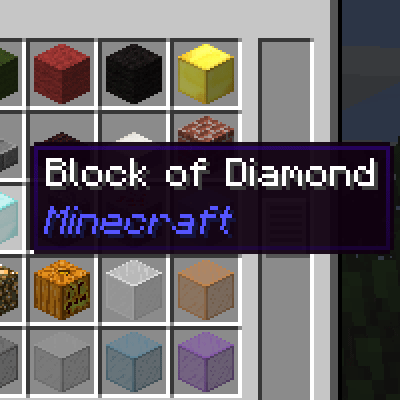
Minecraft mod that shows an ItemStack's mod name on its tooltip.

Minimalistic Functional Unit Frames for the modern Minecrafter

Be notified about all the things you've just collected.
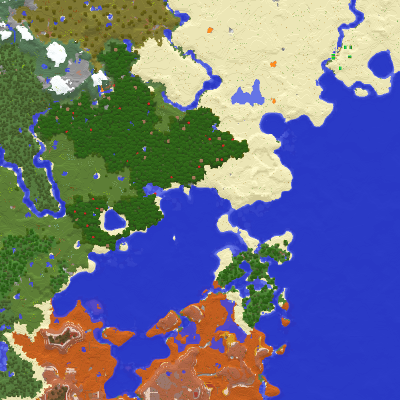
Displays the nearby world terrain, players, mobs, entities in the corner of your screen. Lets you create waypoints which help you find the locations you've marked.
Explore the full category
Explore the full category
🚀 Create your Minecraft Server
Compatible with all mods
Statistics
Downloads
78.2M
Popular Ranking
#1640
Information
Created
February 25, 2019
Updated
July 22, 2025
Authors
FTB, FTBTeam