
Super Factory Manager (SFM) - Automate Your Factory in Minecraft
41.6M downloads • Rank: #491
Description
Super Factory Manager (SFM) is the Minecraft mod that transforms factory management with a new scripting language. Download SFM and optimize your game!
Super Factory Manager (SFM) is a mod for Minecraft that revolutionizes the way you manage your factories, allowing you to automate processes efficiently and easily. With version 4.0.0, SFM introduces a new scripting language that facilitates the creation of custom workflows, making it an essential tool for any player looking to optimize their gaming experience.
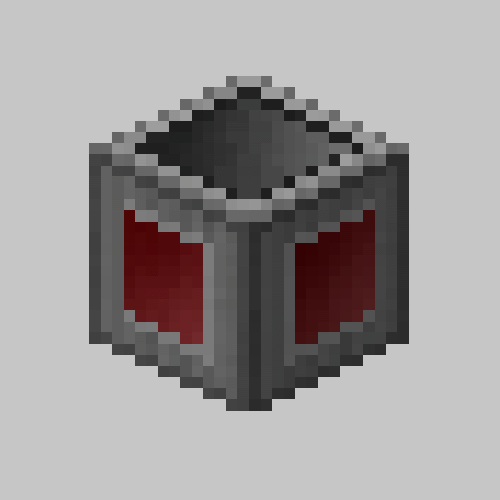
This mod allows you to connect your Factory Manager to different inventories using Inventory Cables, giving you complete control over resource management. Once you place the Factory Manager in the world, you just need to insert a Program Disk and paste your script into the manager's interface. This will enable you to run automated tasks that previously required a lot of time and effort.
Among the most notable features of SFM is the ability to assign labels to blocks in the world, which makes organizing your factories easier. You can use a Label Gun to load labels from your program and apply them to blocks, thus improving the efficiency of your system. Additionally, the mod is compatible with various versions of Minecraft, ensuring that you can enjoy its benefits regardless of the version you are using.
The community behind Super Factory Manager is active and offers constant support, meaning you will always find resources and script examples in their GitHub repository. This is especially useful for those who are new to scripting, as you can learn from existing examples and adapt them to your needs.
If you are ready to take the automation of your factories to the next level, don't hesitate to download Super Factory Manager (SFM). This mod will transform your Minecraft experience and allow you to create more complex and efficient production systems. Join the automation revolution and start enjoying a more dynamic and exciting game!
Main File
Super Factory Manager MC26.1.2 v4.34.0
Recent Files
View all →Minecraft 1.21
Super Factory Manager MC1.21.1 v4.34.0
Super Factory Manager MC1.21 v4.34.0
Super Factory Manager (SFM)-MC1.21.1-4.32.0.jar
Minecraft 1.20
Super Factory Manager MC1.20.4 v4.34.0
Super Factory Manager MC1.20.3 v4.34.0
Super Factory Manager MC1.20.2 v4.34.0
Minecraft 1.19
Super Factory Manager MC1.19.4 v4.34.0
Super Factory Manager MC1.19.2 v4.34.0
Super Factory Manager (SFM)-MC1.19.4-4.32.0.jar
Frequently Asked Questions about Super Factory Manager ( SFM )
How to install Super Factory Manager ( SFM )?
To install Super Factory Manager ( SFM ), you first need to have Minecraft with Forge/Fabric installed. Download the mod's .jar file and place it in the 'mods' folder of your Minecraft directory. Restart the game and the mod will be available.
What Minecraft versions is Super Factory Manager ( SFM ) compatible with?
Super Factory Manager ( SFM ) is compatible with Minecraft versions 26.1.2, 1.21.1, 1.21, 1.20.4, 1.20.3.
Is Super Factory Manager ( SFM ) free?
Yes, Super Factory Manager ( SFM ) is completely free. You can download it directly from this page or from CurseForge.
Comments (0)
Did it work for you?
Tell us which Minecraft version and which loader you used (Forge, Fabric, NeoForge, Quilt). If it crashed or clashed with another mod, say so here: you will save the next reader an afternoon.
Loading comments...
🔗 Related Mods

A Mod that adds fun ways to make mob farms

A crossplatform API for devs that makes transfer and storage of items, fluids and energy easier, as well as some other helpful things
Flexible item transport using router blocks and pluggable modules

Expand Ars Nouveau's Starbuncles with new jobs! Also adds liquified Source.
RFTools Base: base mod for all McJty tech mods

Tesseract allows you to transport Items, Fluid and Energy
Explore the full category
Explore the full category
🚀 Create your Minecraft Server
Compatible with all mods
Statistics
Downloads
41.6M
Popular Ranking
#491
Information
Created
November 13, 2018
Updated
July 4, 2026
Authors
TeamDman