
Subheads: Integrate Your Twitch Subscribers into Minecraft
15.6M downloads • Rank: #3053
Description
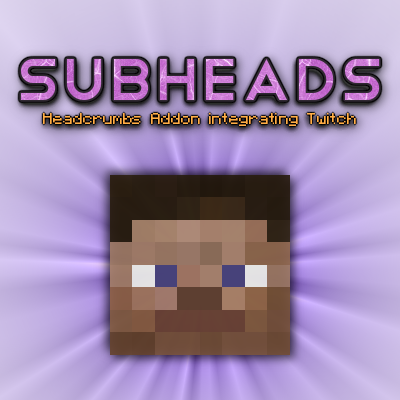
Subheads allows you to add the skins of your Twitch subscribers to Minecraft. Download this mod and transform your gaming experience.
Subheads (formerly known as Twitchcrumbs) is a mod for Minecraft that offers a unique integration with Twitch, allowing your subscribers' skins to appear in the game. This mod is a must-have for streamers and players who want to customize their experience and make their followers feel part of their virtual world.
With Subheads, you can upload a list of usernames from a remote source to populate the skins of Headcrumbs mobs. This means that every time a Twitch subscriber joins your channel, their avatar will appear in Minecraft, providing an interactive and fun experience. Additionally, it is compatible with services like https://whitelist.gorymoon.se, making it easy to manage your subscribers.
One of the standout features of this mod is its ability to read whitelist files from any location on the Internet. Each line of the file must contain a username, allowing for smooth and simple integration. The configuration is flexible, letting you define the URLs from which the user lists are obtained, adapting to your specific needs.
Subheads is fully compatible with the latest versions of Minecraft and works seamlessly on multiplayer servers. This means you can enjoy the fun with your friends and followers, who will not only see their skins in the game but will also try to interact with you in unexpected ways. Watch out, they may try to attack you!
If you are a streamer or just want to add a personal touch to your gaming experience, downloading Subheads is an excellent decision. It will not only enrich your Minecraft world but also strengthen the connection with your community. Don’t wait any longer and try this amazing mod today!
🎥 Video
Main File
Twitchcrumbs_1.12.2-3.0.4.jar
Recent Files
View all →Minecraft 1.12
Twitchcrumbs_1.12.2-3.0.4.jar
Minecraft 1.9
Twitchcrumbs_1.10.2-2.0.4.jar
Minecraft 1.7
twitchcrumbs-mc1.7.10-1.0.10.jar
twitchcrumbs-mc1.7.10-1.0.9.jar
twitchcrumbs-mc1.7.10-1.0.7.jar
Frequently Asked Questions about Subheads (formerly Twitchcrumbs)
How to install Subheads (formerly Twitchcrumbs)?
To install Subheads (formerly Twitchcrumbs), you first need to have Minecraft with Forge/Fabric installed. Download the mod's .jar file and place it in the 'mods' folder of your Minecraft directory. Restart the game and the mod will be available.
What Minecraft versions is Subheads (formerly Twitchcrumbs) compatible with?
Subheads (formerly Twitchcrumbs) is compatible with Minecraft versions 1.12.2, 1.10.2, 1.10.1, 1.10, 1.9.4.
Is Subheads (formerly Twitchcrumbs) free?
Yes, Subheads (formerly Twitchcrumbs) is completely free. You can download it directly from this page or from CurseForge.
Comments (0)
Did it work for you?
Tell us which Minecraft version and which loader you used (Forge, Fabric, NeoForge, Quilt). If it crashed or clashed with another mod, say so here: you will save the next reader an afternoon.
Loading comments...
🔗 Related Mods

Discord Rich Presence
Twitch Chat in Minecraft! With emotes and all.

Record, Watch and Broadcast multimedia in the game using commands
Adds mini player mobs
Real-time mapping in-game or your browser as you explore.

An open source library for other mods!
Explore the full category
Explore the full category
🚀 Create your Minecraft Server
Compatible with all mods
Statistics
Downloads
15.6M
Popular Ranking
#3053
Information
Created
October 7, 2015
Updated
June 7, 2023
Authors
BlayTheNinth