
Simple Discord Rich Presence - Share Your Status in Minecraft
66.0M downloads • Rank: #421

Description
Simple Discord Rich Presence allows you to show your Minecraft status on Discord. Download this mod and easily share your adventures.
Simple Discord Rich Presence (SDRP) is a mod for Minecraft that transforms the way you share your adventures in the game. This mod allows your current status in Minecraft to be displayed on your Discord profile, enabling your friends to see what you are playing without needing to ask. It is an essential tool for any gamer who wants to keep their community informed about their in-game activities.
With SDRP, you can customize the image displayed on Discord, depending on the dimension you are in. Whether you are exploring the normal world, the Nether, or the End, you can set specific images for each status. Installation is straightforward: you just need to download the mod from CurseForge and place it in your mods folder. As a client-side mod, it does not need to be installed on the server, making it easy to use.
One of the standout features of SDRP is its compatibility with multiple dimensions and its ability to show detailed information about your current status. You can create an application in the Discord Developer Portal to further customize the experience. Additionally, the mod includes example images that you can use directly, simplifying the setup process. If you prefer to use your own images, you can also do so by following the naming conventions set by the mod.
SDRP is compatible with the latest versions of Minecraft and works with both Forge and Fabric, making it a versatile option for all players. Whether you are playing solo or on a multiplayer server, this mod will enhance your experience by keeping your friends updated on your adventures in real-time.
In conclusion, if you want to improve your interaction on Discord while playing Minecraft, don't hesitate to download Simple Discord Rich Presence. This mod is a fun and effective way to share your achievements and activities with your friends. Try SDRP and take your gaming experience to the next level!
Main File
SimpleDiscordRichPresense Fabric 26.3.0.1
Recent Files
View all →Minecraft 1.21
[NEOFORGE][1.21.11] SimpleDiscordRichPresence 98.0.1
[FABRIC][1.21.11] SimpleDiscordRichPresence 98.0.1
[NEOFORGE][1.21.1] SimpleDiscordRichPresence 88.0.1
Frequently Asked Questions about Simple Discord Rich Presence (Forge / Fabric)
How to install Simple Discord Rich Presence (Forge / Fabric)?
To install Simple Discord Rich Presence (Forge / Fabric), you first need to have Minecraft with Forge/Fabric installed. Download the mod's .jar file and place it in the 'mods' folder of your Minecraft directory. Restart the game and the mod will be available.
What Minecraft versions is Simple Discord Rich Presence (Forge / Fabric) compatible with?
Simple Discord Rich Presence (Forge / Fabric) is compatible with Minecraft versions 26.3, 26.2, 26.1.2, 26.1.1, 26.1.
Is Simple Discord Rich Presence (Forge / Fabric) free?
Yes, Simple Discord Rich Presence (Forge / Fabric) is completely free. You can download it directly from this page or from CurseForge.
Comments (0)
Did it work for you?
Tell us which Minecraft version and which loader you used (Forge, Fabric, NeoForge, Quilt). If it crashed or clashed with another mod, say so here: you will save the next reader an afternoon.
Loading comments...
🔗 Related Mods
Minimalistic Functional Unit Frames for the modern Minecrafter
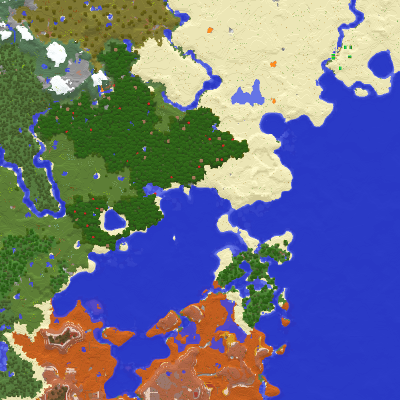
Displays the nearby world terrain, players, mobs, entities in the corner of your screen. Lets you create waypoints which help you find the locations you've marked.
![Server Performance - Smooth Chunk Save[Forge/Fabric]](https://media.forgecdn.net/avatars/536/807/637859186206116434.png)
Enables lag-free continuous chunk saving, increasing server TPS
![Clickable advancements[Forge/Fabric]](https://media.forgecdn.net/avatars/531/807/637854458573666877.png)
Click advancement in chat to open its location. Helps players getting into different mods

No description
Adding advanced surveillance technologies to Create!
Explore the full category
Explore the full category
🚀 Create your Minecraft Server
Compatible with all mods
Statistics
Downloads
66.0M
Popular Ranking
#421
Information
Created
August 12, 2019
Updated
September 19, 2026
Authors
Sunekaer