
Shutup Experimental Settings! - Goodbye Annoying Tips
52.5M downloads • Rank: #896
Description
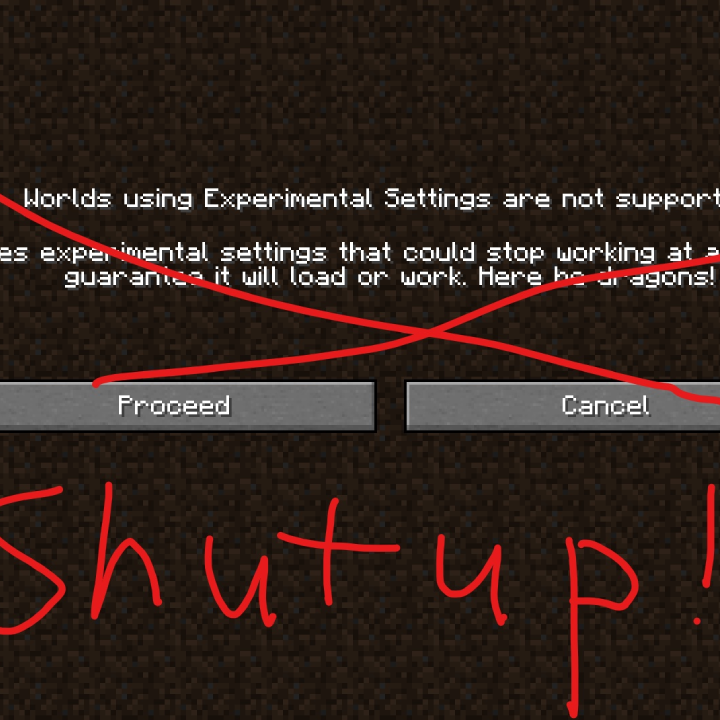
The Shutup Experimental Settings! mod removes experimental feature tips in Minecraft. Enhance your gaming experience now.
Shutup Experimental Settings! is a mod for Minecraft that becomes an essential tool for those who want to enjoy creating custom worlds without the annoying warnings about experimental features. This mod removes the tip that appears every time you create or load a world with custom dimensions or settings, allowing you to focus on the fun of playing.
The functionality of this mod is simple yet effective. By installing Shutup Experimental Settings!, you will free yourself from the frustrating screen that interrupts your gaming experience. This is especially useful for mod creators working on custom world generation, as they can concentrate on their work without unnecessary distractions. Additionally, its installation is quick and easy, making it an accessible option for all players.
This mod is fully compatible with the latest versions of Minecraft and integrates seamlessly into any gaming environment. It doesn't matter if you are a casual player or an experienced mod developer, Shutup Experimental Settings! will enhance your experience by removing those messages that can be annoying and repetitive.
If you are tired of warnings about experimental features and want to enjoy a smoother, uninterrupted game, don't hesitate to download Shutup Experimental Settings!. This mod is the perfect solution to optimize your experience in Minecraft and make every gaming session more enjoyable.
🎥 Video
Main File
shutupexperimentalsettings-1.0.5.jar
Recent Files
View all →Minecraft 1.19
shutupexperimentalsettings-1.0.5.jar
Minecraft 1.18
shutupexperimentalsettings-1.0.4-1.18+.jar
Minecraft 1.16
Shutup Experimental Settings! 1.0.3 MCV: 1.16.5
Shutup Experimental Settings! 1.0.2 MCV: 1.16.5
Shutup Experimental Settings! 1.0.1 MCV: 1.16.5/1.16.4/1.16.3/1.16.2
Frequently Asked Questions about Shutup Experimental Settings!
How to install Shutup Experimental Settings!?
To install Shutup Experimental Settings!, you first need to have Minecraft with Forge/Fabric installed. Download the mod's .jar file and place it in the 'mods' folder of your Minecraft directory. Restart the game and the mod will be available.
What Minecraft versions is Shutup Experimental Settings! compatible with?
Shutup Experimental Settings! is compatible with Minecraft versions 1.19.2, 1.19.1, 1.19, 1.18.2, 1.18.1.
Is Shutup Experimental Settings! free?
Yes, Shutup Experimental Settings! is completely free. You can download it directly from this page or from CurseForge.
Comments (0)
Did it work for you?
Tell us which Minecraft version and which loader you used (Forge, Fabric, NeoForge, Quilt). If it crashed or clashed with another mod, say so here: you will save the next reader an afternoon.
Loading comments...
🔗 Related Mods

Improvements for the Nether (plants, biomes, structures, worldgen)

Adds beautiful new biomes with a Vanilla feel.

Who doesn't like finding loot? It is always fun to find free stuff!

A complete redesign of Minecraft's dungeons!
A mod that aims to spice up vanilla survival

A complete redesign of Minecraft's Nether fortresses!
Explore the full category
Explore the full category
🚀 Create your Minecraft Server
Compatible with all mods
Statistics
Downloads
52.5M
Popular Ranking
#896
Information
Created
September 9, 2020
Updated
January 4, 2026
Authors
corgi_taco_archive