
Plonk - Decorate Your Minecraft World in Style
14.6M downloads • Rank: #2020
Description
Plonk is the mod for Minecraft that allows you to place and rotate decorative objects in your world. Download Plonk and transform your builds.
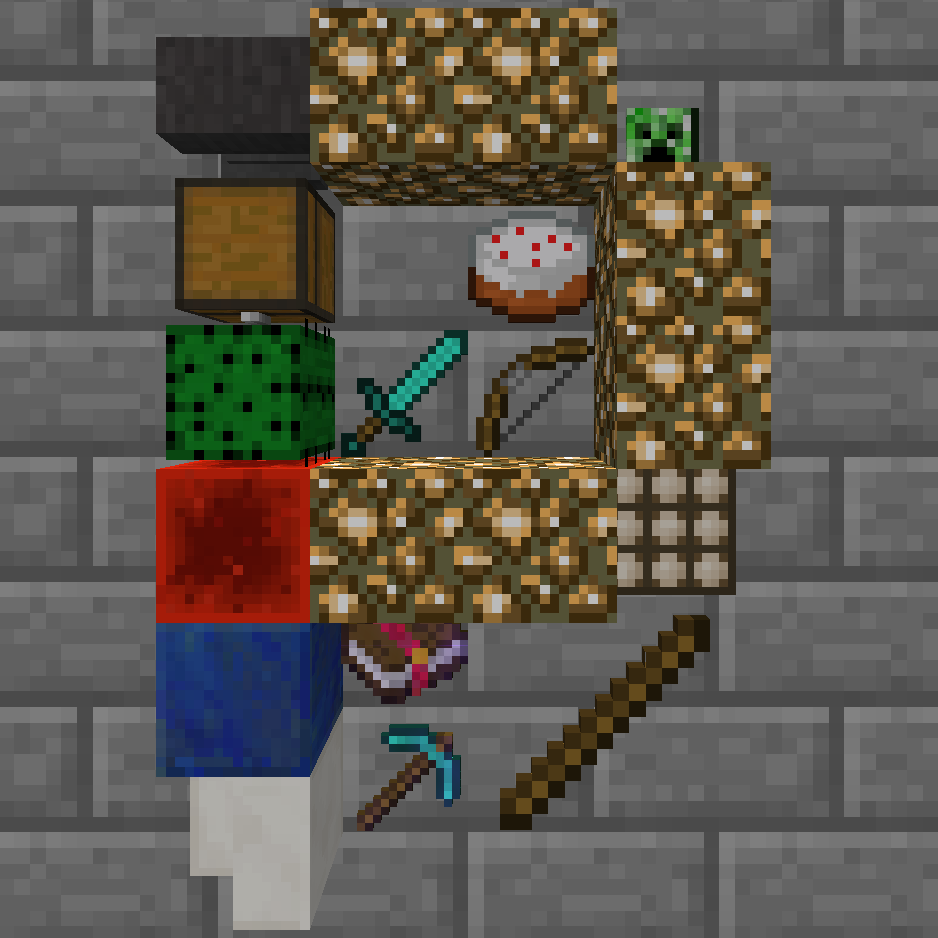
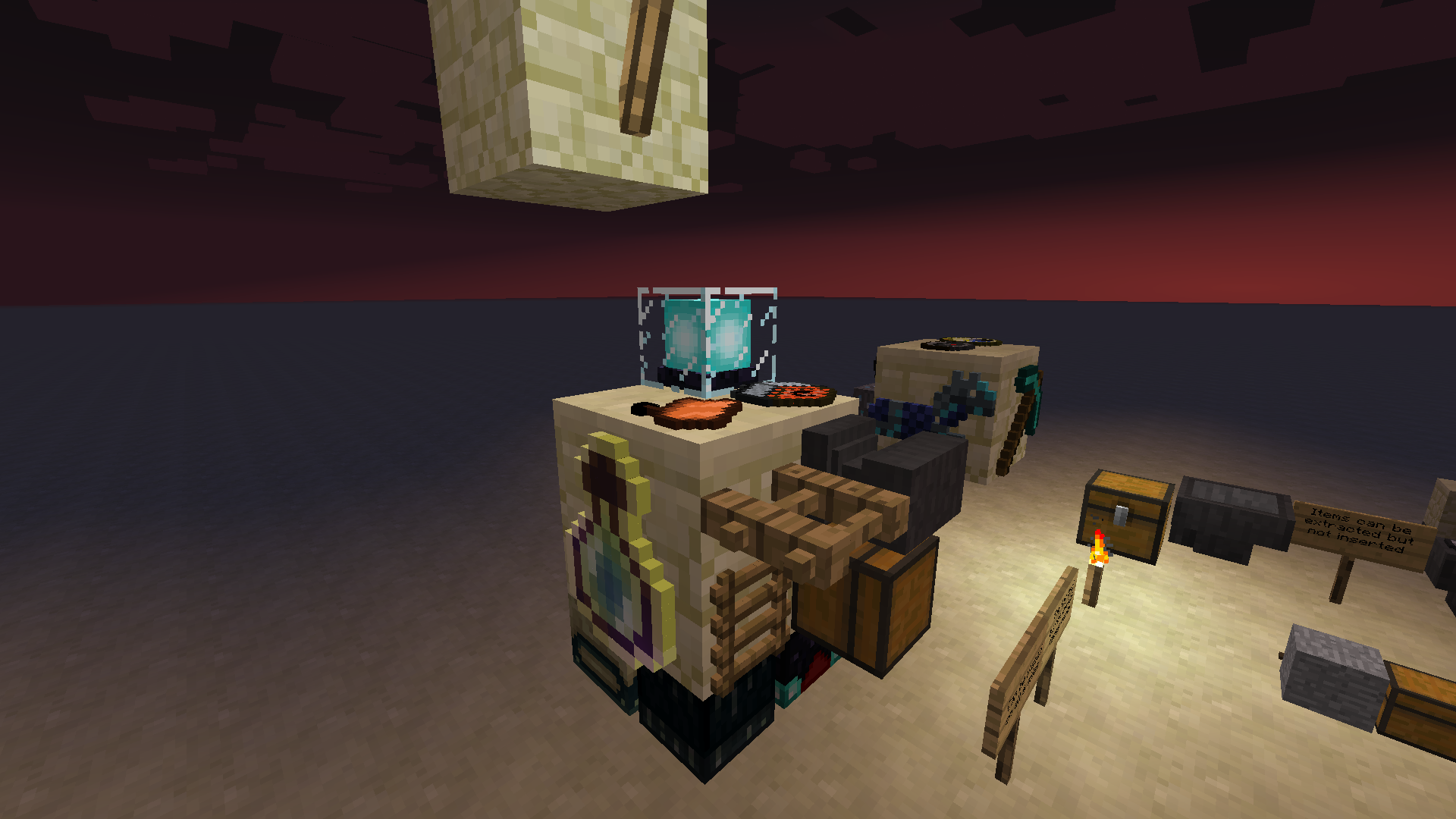
Plonk is a mod for Minecraft that adds a completely new dimension to the decoration of your builds. This mod allows you to place up to four stacks of objects on the sides of any block, giving you the freedom to customize your world in ways that were previously impossible. If you are an aesthetic lover in Minecraft, Plonk is a must-have addition to your gaming experience.
With Plonk, you can place objects simply by pressing the P key while looking at a block. Additionally, you can rotate objects in up to 16 different directions, allowing you to create unique visual compositions. The rotation functionality is activated using the crouch key along with the right-click, giving you full control over how your decorations look. This level of customization is perfect for those looking to add a personal touch to their builds.
The mod is compatible with multiple versions of Minecraft, including 1.7.10, 1.12.2, 1.16.5, and the latest versions, ensuring that you can enjoy its features regardless of the version you are using. Furthermore, Plonk can be used in any modpack without needing to request permission, making it a versatile option for all players. You can also adjust the maximum size of each stack of objects in the mod's settings.
One of the most interesting features of Plonk is that placed objects can be extracted by automation, although they cannot be inserted back. This allows players to integrate Plonk into their redstone and automation systems seamlessly. Additionally, placed objects do not wash away with liquids, adding a level of durability to your decorations.
If you are looking for a way to take your builds to the next level, downloading Plonk is the perfect decision. With its ease of use and versatility, this mod will transform the way you decorate your world in Minecraft. Don’t wait any longer and start experimenting with Plonk today!
🎥 Video
Screenshots1
Main File
plonk-26.1.2-10.0.10-neo.jar
Recent Files
View all →Minecraft 1.21
plonk-1.21.1-10.0.6-neo.jar
Minecraft 1.20
plonk-1.20.1-10.0.5-forge.jar
Minecraft 1.19
plonk-1.19.4-10.0.5-forge.jar
plonk-1.19.2-10.0.4.jar
plonk-1.19.2-10.0.3.jar
Minecraft 1.18
plonk-1.18.2-10.0.4.jar
plonk-1.18.2-10.0.2.jar
plonk-1.18.1-10.0.1.jar
Minecraft 1.16
plonk-1.16.5-10.0.4.jar
plonk-1.16.5-9.0.8.jar
Minecraft 1.15
plonk-1.15.2-10.0.4.jar
plonk-1.15.2-8.0.5.jar
Minecraft 1.14
plonk-1.14.4-10.0.4.jar
plonk-1.14.4-7.0.5.jar
Minecraft 1.12
plonk-1.12.2-10.0.4.jar
Minecraft 1.7
plonk-1.7.10-10.0.4.jar
Frequently Asked Questions about Plonk
How to install Plonk?
To install Plonk, you first need to have Minecraft with Forge/Fabric installed. Download the mod's .jar file and place it in the 'mods' folder of your Minecraft directory. Restart the game and the mod will be available.
What Minecraft versions is Plonk compatible with?
Plonk is compatible with Minecraft versions 26.1.2, 26.1.1, 26.1, 1.21.1, 1.20.1.
Is Plonk free?
Yes, Plonk is completely free. You can download it directly from this page or from CurseForge.
Comments (0)
Did it work for you?
Tell us which Minecraft version and which loader you used (Forge, Fabric, NeoForge, Quilt). If it crashed or clashed with another mod, say so here: you will save the next reader an afternoon.
Loading comments...
🔗 Related Mods

A functional suite of innovative and configurable utility blocks for the modern builder

An unofficial port of Presence Footsteps from Fabric to Forge

A mod that disables the minecraft death particle
Minecolonies Addon for more Voice Lines

A client-side mod that allows for extensive customization of the player model.
Fills the world with fleshed out & diverse landscapes!
Explore the full category
Explore the full category
🚀 Create your Minecraft Server
Compatible with all mods
Statistics
Downloads
14.6M
Popular Ranking
#2020
Information
Created
October 6, 2019
Updated
August 4, 2026
Authors
BlueAgent