
PingHUD - Enhance Your Connection Experience in Minecraft
3.8M downloads • Rank: #3336
Description
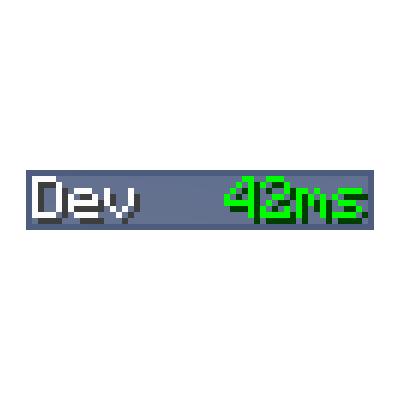
PingHUD replaces the ping graph with a numeric display, improving gameplay. Download this mod and optimize your connection.
PingHUD is a mod for Minecraft that transforms the way you visualize player ping on your server. Instead of the traditional graphical bar, this mod offers a clear and precise numeric display that shows the current ping of all players. This improvement is essential for those looking to optimize their gaming experience and avoid connection issues.
One of the standout features of PingHUD is its simplicity and effectiveness. By providing an exact number instead of a graphical representation, you can make more informed decisions about your connection and that of your teammates. This is especially useful in competitive situations where every millisecond counts. Additionally, the mod integrates seamlessly into the Minecraft user interface, without interfering with other game elements.
PingHUD is compatible with the latest versions of Minecraft and works in both single-player environments and multiplayer servers. Whether you are a casual player or a serious competitor, this mod adapts to your needs and enhances your gaming experience. Installation is straightforward and does not require complicated settings, making it accessible for all players.
If you want to take your gaming experience to the next level and ensure you are always aware of your connection, downloading PingHUD is a smart decision. With this mod, you can enjoy smoother, uninterrupted gameplay, allowing you to focus on what really matters: having fun in Minecraft!
Main File
PingHUD-7.0.jar
Recent Files
View all →Minecraft 1.21
PingHUD-4.0.jar
Minecraft 1.20
PingHUD-3.0.jar
Minecraft 1.19
PingHUD-3.0.jar
PingHUD-2.0.jar
Minecraft 1.18
PingHUD-1.0.jar
Frequently Asked Questions about PingHUD
How to install PingHUD?
To install PingHUD, you first need to have Minecraft with Forge/Fabric installed. Download the mod's .jar file and place it in the 'mods' folder of your Minecraft directory. Restart the game and the mod will be available.
What Minecraft versions is PingHUD compatible with?
PingHUD is compatible with Minecraft versions 26.3, 26.2, 26.1.2, 26.1.1, 26.1.
Is PingHUD free?
Yes, PingHUD is completely free. You can download it directly from this page or from CurseForge.
Comments (0)
Did it work for you?
Tell us which Minecraft version and which loader you used (Forge, Fabric, NeoForge, Quilt). If it crashed or clashed with another mod, say so here: you will save the next reader an afternoon.
Loading comments...
🔗 Related Mods

Gives Embeddium/Sodium additional Performance and Quality features for a tasteful experience

Expand health, armor and armor toughness bars beyond vanilla. Nice and compact without confusing colors.

A non-invasive library mod for Fabric, Forge, and NeoForge.

Cleanly swing through transparent blocks like tall grass to hit mobs without breaking said block.

Support stacked cooking & optimize recipe-matching in Farmer's Delight

Versatile and easy inventory sorting.
Explore the full category
🚀 Create your Minecraft Server
Compatible with all mods
Statistics
Downloads
3.8M
Popular Ranking
#3336
Information
Created
August 24, 2022
Updated
September 16, 2026
Authors
XFactHD