
[FABRIC/QUILT] Disable Custom Worlds Advice - Goodbye Annoyances
17.1M downloads • Rank: #1187
![[FABRIC/QUILT] Disable Custom Worlds Advice](https://media.forgecdn.net/avatars/293/332/637328852126283848.png)
Description
This mod removes the 'Experimental Features' warning when creating custom worlds. Ideal for players and developers.
[FABRIC/QUILT] Disable Custom Worlds Advice is a mod for Minecraft that is essential for those who create or load worlds with custom dimensions. This mod removes the annoying 'Experimental Features' warning that appears every time you start a world with special settings. If you find it as irritating as many do, this mod is the perfect solution.
With this mod, you can enjoy a smoother and uninterrupted gaming experience. It is especially useful for developers who are creating mods with custom world generation, allowing them to disable the warning screen without complications. Compatibility with all versions of Minecraft 1.16.2 and above, including pre-releases, ensures that you can use it seamlessly in your projects.
Although it is a mod designed for Fabric, it does not require the Fabric API, making installation and use even easier. If you are a Minecraft Forge user and looking for an alternative, you can explore the Shutup Experimental Settings mod, which is a Forge-adapted version. This mod is a great resource for those who want to keep their gaming experience clean and free from unnecessary distractions.
The Minecraft community has enthusiastically embraced this mod, as it allows players and developers to focus on what really matters: fun and creativity in their worlds. Downloading [FABRIC/QUILT] Disable Custom Worlds Advice is a simple step to enhance your gaming experience and eliminate those annoyances that can interrupt your immersion.
🎥 Video
Main File
Disable Custom Worlds Advice 6.0
Recent Files
View all →Minecraft 1.21
Disable Custom Worlds Advice 6.0
Minecraft 1.20
DisableCustomWorldsAdvice-5.0.jar
DisableCustomWorldsAdvice-4.1.jar
Minecraft 1.19
DisableCustomWorldsAdvice-4.0.jar
DisableCustomWorldsAdvice-3.0.jar
Minecraft 1.18
DisableCustomWorldsAdvice-2.0.jar
Minecraft 1.17
DisableCustomWorldsAdvice-1.4.jar
DisableCustomWorldsAdvice-1.3.jar
Minecraft 1.16
DisableCustomWorldsAdvice-1.2.jar
DisableCustomWorldsAdvice-1.1.jar
DisableCustomWorldsAdvice-1.0.jar
Frequently Asked Questions about [FABRIC/QUILT] Disable Custom Worlds Advice
How to install [FABRIC/QUILT] Disable Custom Worlds Advice?
To install [FABRIC/QUILT] Disable Custom Worlds Advice, you first need to have Minecraft with Forge/Fabric installed. Download the mod's .jar file and place it in the 'mods' folder of your Minecraft directory. Restart the game and the mod will be available.
What Minecraft versions is [FABRIC/QUILT] Disable Custom Worlds Advice compatible with?
[FABRIC/QUILT] Disable Custom Worlds Advice is compatible with Minecraft versions 1.21.7, 1.21.6, 1.21.5, 1.21.4, 1.21.3.
Is [FABRIC/QUILT] Disable Custom Worlds Advice free?
Yes, [FABRIC/QUILT] Disable Custom Worlds Advice is completely free. You can download it directly from this page or from CurseForge.
Comments (0)
Did it work for you?
Tell us which Minecraft version and which loader you used (Forge, Fabric, NeoForge, Quilt). If it crashed or clashed with another mod, say so here: you will save the next reader an afternoon.
Loading comments...
🔗 Related Mods

A handful of additions to vanilla Nether biomes
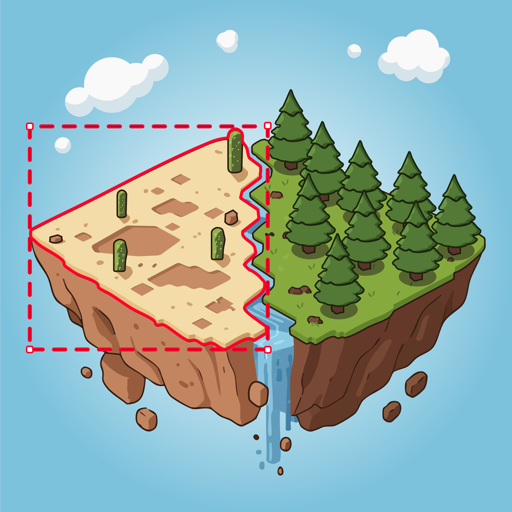
A quick way to get rid of a biome. Useful for tweaking datapack-based generators (like Terralith) that don't have a convenient configuration.
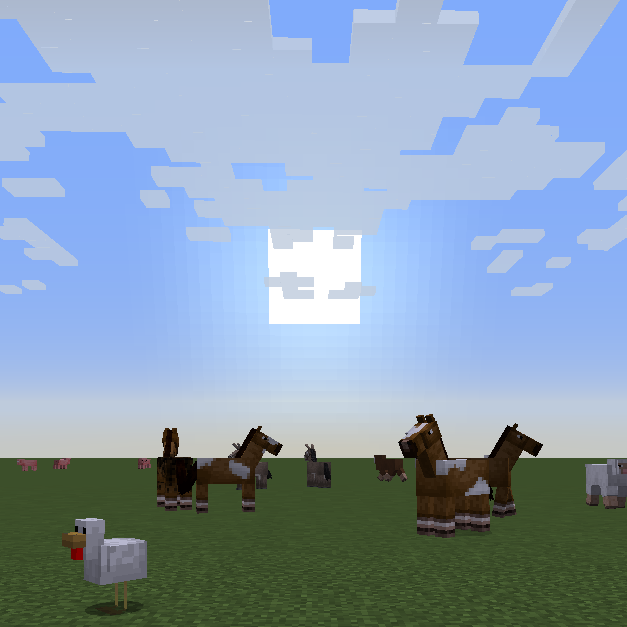
🙅 Removes those pesky slimes when you're trying to be creative in a superflat world.

Tree library used by popular mods such as Oh The Biomes We've Gone.

Adds more functionality to mob spawner block. Change range from 16 to 128 blocks and more!
This mod adds content to the End (biomes, mobs, blocks, etc.)
Explore the full category
Explore the full category
🚀 Create your Minecraft Server
Compatible with all mods
Statistics
Downloads
17.1M
Popular Ranking
#1187
Information
Created
August 13, 2020
Updated
July 7, 2024
Authors
Nara