
CraftPresence - Customize Your Presence on Discord in Minecraft
64.1M downloads • Rank: #474
Description
CraftPresence allows you to customize how others see you on Discord while playing Minecraft. Download this mod and stand out among your friends.
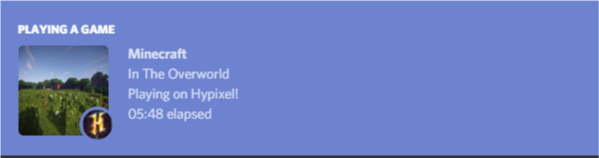
CraftPresence is a mod for Minecraft that transforms how others see your gaming experience through Discord's Rich Presence API. This mod is a must-have for those who want to showcase their gameplay status in a unique and creative way, allowing your friends to see not only that you are playing but also details like the biome you are in, the dimension you are exploring, and the server you have joined.
One of the standout features of CraftPresence is its customization capability. You can modify how your status is displayed on Discord, allowing you to be more expressive and creative. From showing the name of the pack you are using to including custom icons, the possibilities are virtually endless. Additionally, the mod easily integrates with various launchers, such as ATLauncher and MultiMC, making it easy to use in different gaming environments.
The mod requires the UniLib library, which provides common functions for a better experience. It is important to note that CraftPresence is a client-side only mod, meaning it will not work on the server side. This ensures that your gaming experience is not affected by compatibility issues, as long as you use the correct versions of mod loaders like Fabric or Rift.
CraftPresence also includes useful commands that make managing your settings and customizing your status easier. You can test bookmark expressions, search for valid bookmarks, and reload mod data with ease. All of this can be done through an intuitive graphical interface, making setup accessible even for new users.
If you are looking for a way to stand out and showcase your playstyle in Minecraft, downloading CraftPresence is an excellent choice. With its wide range of customization options and integration with Discord, this mod will allow you to take your gaming experience to the next level. Don't wait any longer and start customizing your presence today!
🎥 Video
Screenshots5
Main File
[Neoforge 26.3] CraftPresence v2.7.1
Recent Files
View all →Minecraft 1.13
[Rift 1.13.2] CraftPresence v2.7.1
Frequently Asked Questions about CraftPresence
How to install CraftPresence?
To install CraftPresence, you first need to have Minecraft with Forge/Fabric installed. Download the mod's .jar file and place it in the 'mods' folder of your Minecraft directory. Restart the game and the mod will be available.
What Minecraft versions is CraftPresence compatible with?
CraftPresence is compatible with Minecraft versions 26.3, 26.2, 26.1.2, 26.1, 1.21.8.
Is CraftPresence free?
Yes, CraftPresence is completely free. You can download it directly from this page or from CurseForge.
Comments (0)
Did it work for you?
Tell us which Minecraft version and which loader you used (Forge, Fabric, NeoForge, Quilt). If it crashed or clashed with another mod, say so here: you will save the next reader an afternoon.
Loading comments...
🔗 Related Mods

Companion mod for all mods by McJty (RFTools, XNet, Deep Resonance, Not Enough Wands, SignTastic, ...))

A set of common classes and utilities used by Insane's mods
A mod that changes how multiple types of culling are handled in order to improve performance

A Library mod used by The Panda Oliver
A library mod providing Attributes and related things.

Forge Capabilities that can be shared by multiple mods
Explore the full category
Explore the full category
🚀 Create your Minecraft Server
Compatible with all mods
Statistics
Downloads
64.1M
Popular Ranking
#474
Information
Created
June 29, 2018
Updated
September 20, 2026
Authors
CDAGaming_