
Craft Slabs Back into Blocks - Recycle Your Slabs in Minecraft
988.5K downloads • Rank: #9501
![Craft Slabs Back into Blocks [Fabric/Forge/NeoForge]](https://media.forgecdn.net/avatars/640/632/638042127077345051.png)
Description
Transform your slabs into full blocks with this mod for Minecraft. Download Craft Slabs Back into Blocks and optimize your inventory!
Craft Slabs Back into Blocks [Fabric/Forge/NeoForge] is an essential mod for Minecraft that allows you to recycle slabs into full blocks. This mod for Minecraft is perfect for players who want to optimize their inventory and reuse materials they no longer need. By simply placing two slabs on the crafting table, you can convert them back into blocks, making resource management easier.
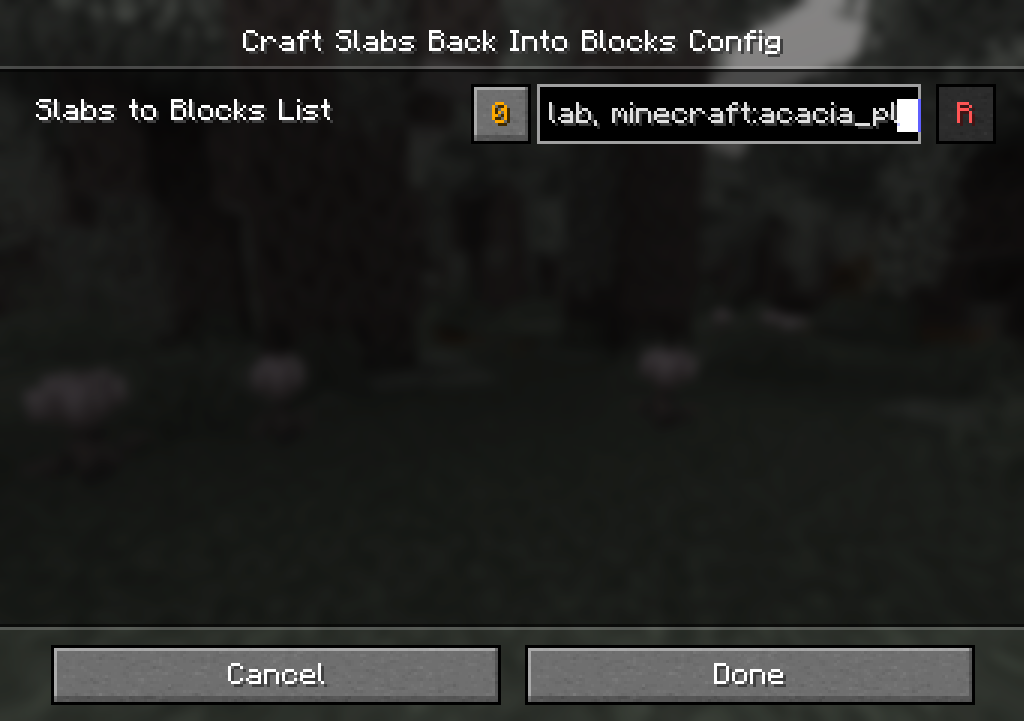
One of the standout features of this mod is its total configurability. You can adjust the options directly in-game or by editing the JSON file located in config/slabstoblocks.json. This allows you to customize which slabs can be converted into blocks, tailoring the mod to your specific needs. For example, you can define unique crafting patterns for each type of slab, adding an extra level of customization to your gaming experience.
Additionally, Craft Slabs Back into Blocks is compatible with a wide variety of mods and versions of Minecraft, ensuring you can enjoy its benefits no matter how you play. Whether you use Fabric, Forge, or NeoForge, this mod integrates seamlessly into your world, enhancing gameplay without affecting performance.
If you're a player looking to maximize efficiency in building and crafting, downloading Craft Slabs Back into Blocks is a smart decision. This mod will not only save you space in your inventory but also allow you to be more creative by effectively reusing materials. Don't wait any longer and start enjoying all the advantages this amazing mod offers!
Screenshots7
Main File
slabstoblocks-neoforge-26.2-3
Recent Files
View all →Minecraft 1.21
slabstoblocks-neoforge-1.21.1-3
slabstoblocks-forge-1.21.1-3
slabstoblocks-fabric-1.21.1-3
Minecraft 1.20
slabstoblocks-forge-1.20.1-3
slabstoblocks-fabric-1.20.1-3
Minecraft 1.19
slabstoblocks-forge-1.19.2-3
slabstoblocks-fabric-1.19.2-3
Minecraft 1.18
slabstoblocks-forge-1.18.2-3
slabstoblocks-fabric-1.18.2-3
Frequently Asked Questions about Craft Slabs Back into Blocks [Fabric/Forge/NeoForge]
How to install Craft Slabs Back into Blocks [Fabric/Forge/NeoForge]?
To install Craft Slabs Back into Blocks [Fabric/Forge/NeoForge], you first need to have Minecraft with Forge/Fabric installed. Download the mod's .jar file and place it in the 'mods' folder of your Minecraft directory. Restart the game and the mod will be available.
What Minecraft versions is Craft Slabs Back into Blocks [Fabric/Forge/NeoForge] compatible with?
Craft Slabs Back into Blocks [Fabric/Forge/NeoForge] is compatible with Minecraft versions 26.2, 26.1.2, 26.1.1, 26.1, 1.21.11.
Is Craft Slabs Back into Blocks [Fabric/Forge/NeoForge] free?
Yes, Craft Slabs Back into Blocks [Fabric/Forge/NeoForge] is completely free. You can download it directly from this page or from CurseForge.
Comments (0)
Did it work for you?
Tell us which Minecraft version and which loader you used (Forge, Fabric, NeoForge, Quilt). If it crashed or clashed with another mod, say so here: you will save the next reader an afternoon.
Loading comments...
🔗 Related Mods
CraftTweaker allows modpacks and servers to customize the game. With CraftTweaker you can change recipes, script events, add new commands and even change item properties!

Allows you to add Items and Blocks

Config Screen API for Minecraft

Adds a search bar to the Key-Bindings menu

No description

A 3D animation library for entities, blocks, items, armor, and more!
Explore the full category
Explore the full category
🚀 Create your Minecraft Server
Compatible with all mods
Statistics
Downloads
988.5K
Popular Ranking
#9501
Information
Created
November 17, 2022
Updated
September 5, 2026
Authors
Mars