
Audio Improvements - Enhance Your Sound Experience in Minecraft
6.6M downloads • Rank: #1141

Description
Audio Improvements transforms sound in Minecraft with customizable options. Download this mod and experience a unique auditory journey.
Audio Improvements is a mod for Minecraft that revolutionizes the way you experience the game's sounds. This mod is a must-have for players who want a richer and more immersive auditory experience. With Audio Improvements, you can enjoy more realistic audio tailored to your preferences, significantly enhancing immersion in the world of Minecraft.
Among its standout features is the mono audio option, which prevents sounds from being affected by the direction you are looking, although they will fade as you move away. Additionally, you can customize the distance of music discs, with a range from 50% to 300%. It also includes a feature that prevents the game's music from overlapping when a musical block is playing near you, allowing for a smoother and more enjoyable auditory experience.
Audio Improvements also offers the ability to adjust the frequency of the music, replacing vanilla music frequencies with customizable random intervals. The sound speed simulation adds a realistic touch, as sounds are delayed based on the distance from their source. Moreover, the Doppler effect adjusts the pitch of sounds according to movement speed, adding an impressive level of detail to the auditory experience.
This mod is highly customizable and can be easily configured through the Mod Menu in Fabric or by using the command "/audioimprovements". It is compatible with most resources and other mods, ensuring that it does not negatively impact your game's performance. If you are a detail lover and want to enhance your experience in Minecraft, downloading Audio Improvements is a decision you won't regret.
In conclusion, Audio Improvements is the perfect mod for those seeking a richer and more personalized sound experience in Minecraft. Don't hesitate to try it and immerse yourself in a world where every sound matters.
Main File
Audio Improvements v2.0.2 (Fabric 1.21.1).jar
Recent Files
View all →Minecraft 1.21
Audio Improvements v2.0.2 (Fabric 1.21.1).jar
Audio Improvements v2.0.2 (NeoForge 1.21.1).jar
Audio Improvements v2.0.1 (Fabric 1.21.11).jar
Minecraft 1.20
Audio Improvements v2.0.2 (Fabric 1.20.1).jar
Audio Improvements v2.0.1 (Fabric 1.20.1).jar
Audio Improvements v2.0.1 (Forge 1.20.1).jar
Frequently Asked Questions about Audio Improvements
How to install Audio Improvements?
To install Audio Improvements, you first need to have Minecraft with Forge/Fabric installed. Download the mod's .jar file and place it in the 'mods' folder of your Minecraft directory. Restart the game and the mod will be available.
What Minecraft versions is Audio Improvements compatible with?
Audio Improvements is compatible with Minecraft versions 26.2, 26.1.2, 1.21.11, 1.21.8, 1.21.7.
Is Audio Improvements free?
Yes, Audio Improvements is completely free. You can download it directly from this page or from CurseForge.
Comments (0)
Did it work for you?
Tell us which Minecraft version and which loader you used (Forge, Fabric, NeoForge, Quilt). If it crashed or clashed with another mod, say so here: you will save the next reader an afternoon.
Loading comments...
🔗 Related Mods
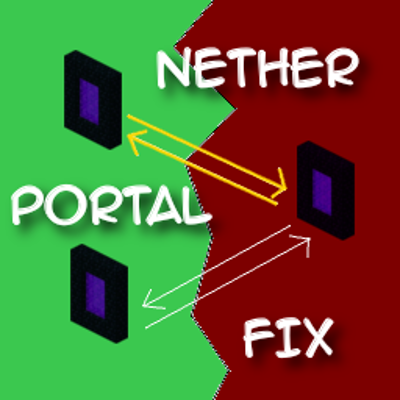
Ensures correct destinations when travelling back and forth through Nether Portals in Multiplayer.

Items stay inside of crafting tables and are also rendered on top. It's really fancy!

Break only the half of a double slab that you're looking at.
![fix GPU memory leak[Forge/Fabric]](https://media.forgecdn.net/avatars/841/827/638236647684351264.png)
A mod that fixes memory leaks on the client

Speed up immediate mode rendering in Minecraft

Unlock the potential of armor stands! Works on servers with the Vanilla Tweaks data pack.
Explore the full category
🚀 Create your Minecraft Server
Compatible with all mods
Statistics
Downloads
6.6M
Popular Ranking
#1141
Information
Created
August 6, 2025
Updated
September 7, 2026
Authors
NamelessJu