
Ambient Environment - Vivid Colors for Your Minecraft World
38.8M downloads • Rank: #473
Description
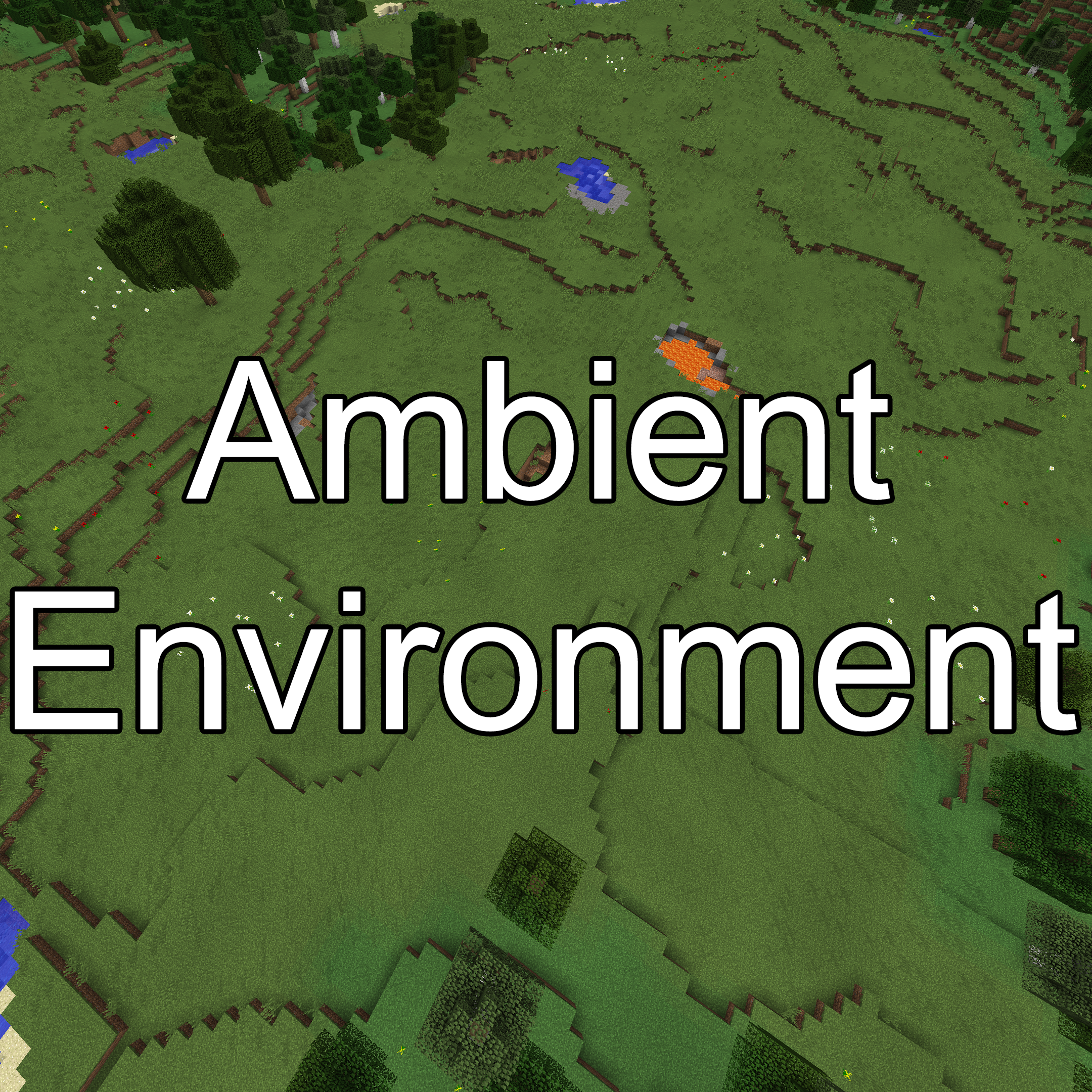
Ambient Environment adds subtle color variations to Minecraft biomes, making your world look more vibrant and realistic. Download now!
Ambient Environment is a mod for Minecraft that transforms the appearance of your world by adding ambient color noise to the biomes. Thanks to this mod, elements like grass, water, and leaves show subtle differences in their colors, bringing a sense of diversity and life to every corner of the game. If you're looking for a richer and more immersive visual experience, this mod is a must-have.
The magic of Ambient Environment lies in its ability to make each biome feel unique. By applying location-based color variations, players will notice that the environment becomes more dynamic and appealing. This effect is inspired by a similar feature from the Bedrock version of Minecraft, demonstrating its effectiveness in enhancing the game's aesthetics.
Among the standout features of this mod is its ease of installation and compatibility with other mods. It will not interfere with gameplay or affect your system's performance, allowing you to enjoy a more colorful world without sacrificing game smoothness. Additionally, it is fully compatible with the latest versions of Minecraft, ensuring that all players can benefit from its effects.
If you want to take your Minecraft experience to the next level and make every adventure visually stunning, downloading Ambient Environment is an excellent choice. This mod not only beautifies your world but also makes it feel more alive and authentic. Don't wait any longer and try Ambient Environment today!
Main File
AmbientEnvironment-neoforge-26.3-26.3.2.jar
Recent Files
View all →Minecraft 1.21
AmbientEnvironment-neoforge-1.21.10-27.0.0.3.jar
AmbientEnvironment-fabric-1.21.10-27.0.0.3.jar
AmbientEnvironment-neoforge-1.21.11-27.0.0.1.jar
Frequently Asked Questions about Ambient Environment
How to install Ambient Environment?
To install Ambient Environment, you first need to have Minecraft with Forge/Fabric installed. Download the mod's .jar file and place it in the 'mods' folder of your Minecraft directory. Restart the game and the mod will be available.
What Minecraft versions is Ambient Environment compatible with?
Ambient Environment is compatible with Minecraft versions 26.3, 26.2, 26.1.2, 26.1.1, 26.1.
Is Ambient Environment free?
Yes, Ambient Environment is completely free. You can download it directly from this page or from CurseForge.
Comments (0)
Did it work for you?
Tell us which Minecraft version and which loader you used (Forge, Fabric, NeoForge, Quilt). If it crashed or clashed with another mod, say so here: you will save the next reader an afternoon.
Loading comments...
🔗 Related Mods
A Minecraft building blocks mod
![Prism [Neo/Forge]](https://media.forgecdn.net/avatars/581/617/637946673404611382.png)
A library all about color! Provides lots of color-related functionality for dependent mods.
![Advancement Plaques [Neo/Forge]](https://media.forgecdn.net/avatars/409/257/637624038913829647.png)
Replace those boring advancement popups with something flashier.
Port of OpenBlocks Elevator.
![Better Fps - Render Distance[Forge]](https://media.forgecdn.net/avatars/531/771/637854357042030339.png)
Better fps for 1.16+ minecraft, improved render distances
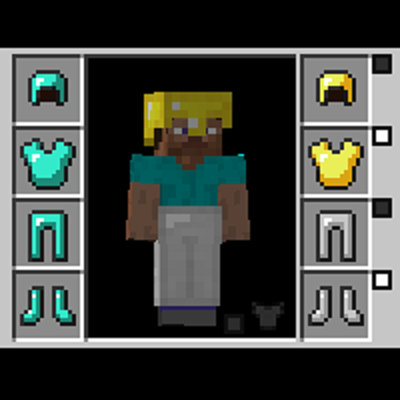
This mod allows you to wear two sets of armor, one for display, one for function.
Explore the full category
🚀 Create your Minecraft Server
Compatible with all mods
Statistics
Downloads
38.8M
Popular Ranking
#473
Information
Created
April 25, 2019
Updated
September 17, 2026
Authors
Jaredlll08